 BuildCaptain
Take command of your Jenkins pipelines.
BuildCaptain is a native build monitor for Jenkins that lives in your macOS menu bar — status at a glance, logs and build controls one click away.
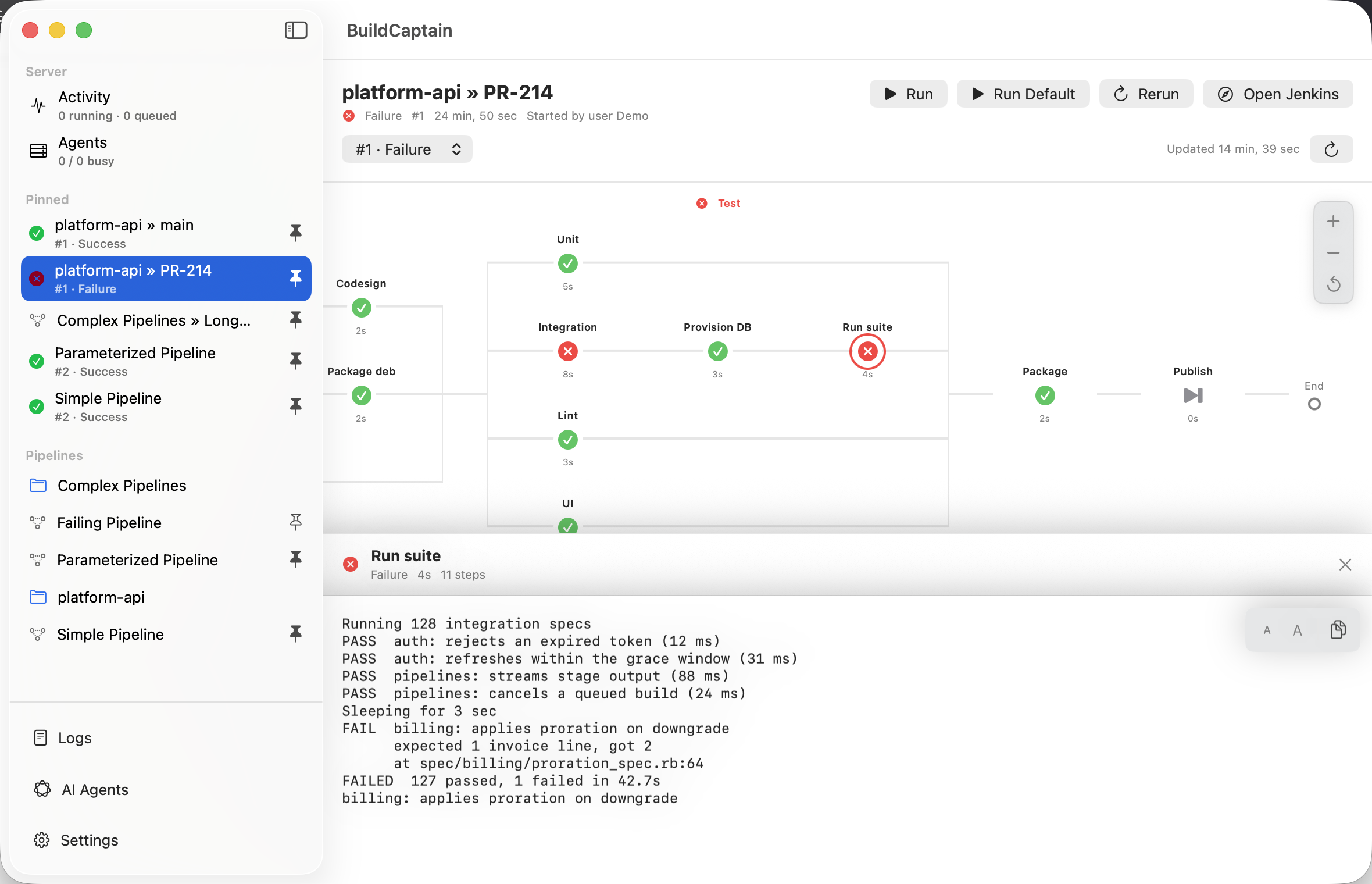
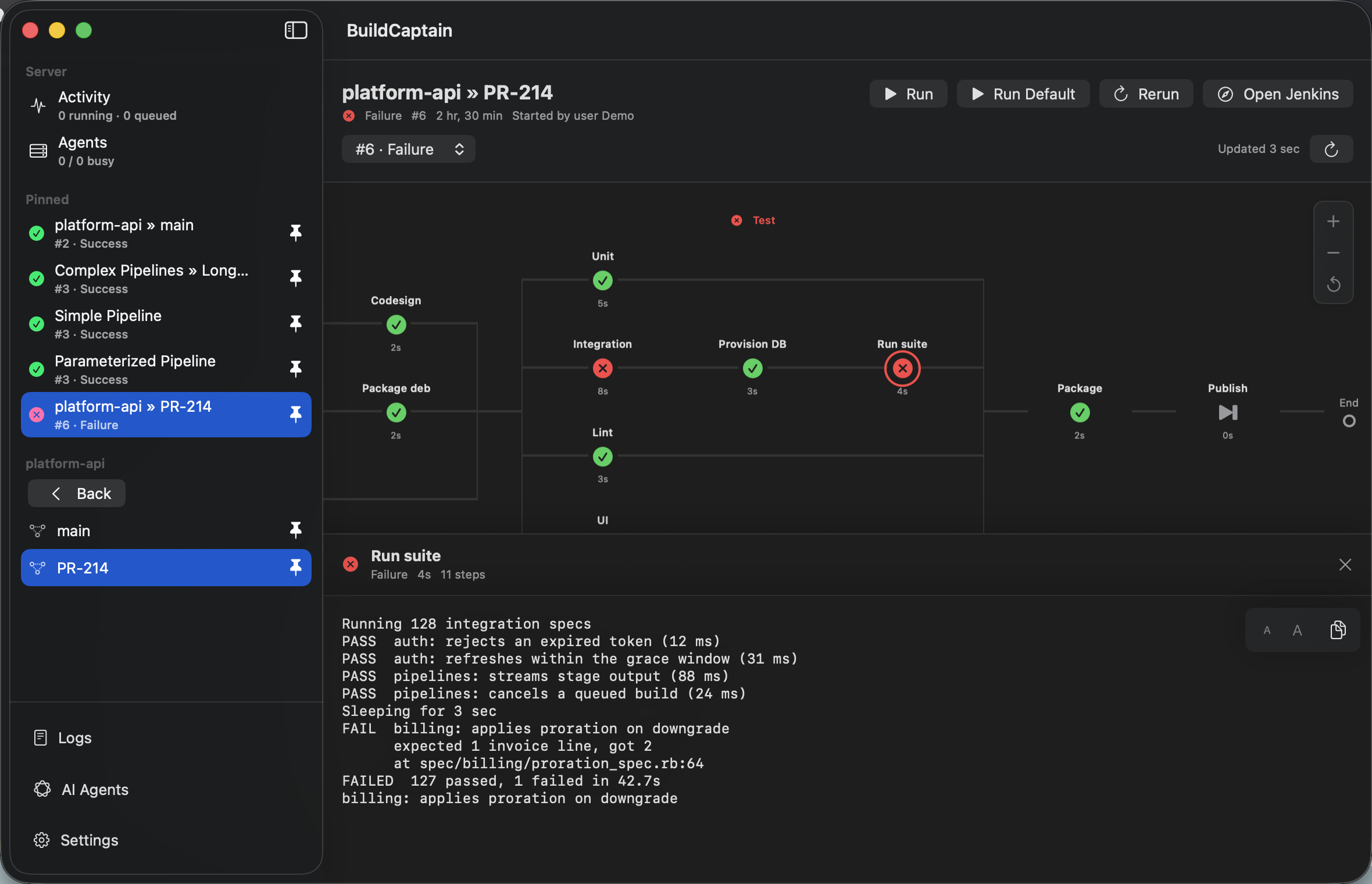
- Pinned pipelines — live build status in your menu bar, updated as runs progress
- Full stage view — nested and parallel stages with step logs, one click deep
- AI agents via MCP — Claude Code or any MCP client starts only the builds you allow

macOS 14+ · Available on the Mac App Store · Works with your existing Jenkins server
On board
Everything a build captain needs
BuildCaptain watches Jenkins so you don't have to keep a browser tab open.
Pinned to your menu bar
Choose the pipelines that matter and see their live status at a glance, all day.
Run, stop, rebuild
Trigger builds with string, boolean, choice, and password parameters — right from the stage view.
Stage-by-stage view
Nested and parallel stages laid out clearly, with step logs when you need to dig in.
Alerts that matter
Failure, recovery, and completion notifications — know the build broke before the team chat does.
AI agents, on your terms
Let Claude Code or Codex start the builds you allow — per repository, parameter-checked, with your approval. Via MCP or the open-source CLI.
Truly native
SwiftUI, light on memory and battery. Menu-bar-only or Dock mode, with optional launch at login.
Pricing
Fair winds, fair pricing
One purchase on the Mac App Store — no subscription. Volume licensing for fleets.
Captain
One purchase per person, on the Mac App Store.
- Unlimited pinned pipelines
- Run, stop & rebuild with all parameter types
- Full stage view & logs
- Failure & recovery notifications
- AI agent access with per-repo approvals
- All your Macs with one Apple Account
Fleet
Volume licensing for crews and companies.
- Everything in Captain
- Invoice billing
- Direct support channel
Purchases are handled securely by the Mac App Store. Prices may vary by region.
New crew aboard
Let AI agents run your builds
Claude Code, Codex, Cursor, or any MCP client can start Jenkins builds through BuildCaptain — only the ones you allow, checked against your rules.
-
1.The agent asks
Your coding agent requests a build through the open-source BuildCaptain CLI or its MCP server — no Jenkins credentials in its hands.
-
2.BuildCaptain checks
The request must match a run configuration you created: the right Git repository, an allowed branch, parameters within bounds. Everything else is rejected.
-
3.The build sails
Approved runs go to Jenkins under your account; the agent waits for the verdict and reads the result — fix, rebuild, repeat.
Only the pipelines and configurations you allow.
Ready to take the helm?
Get BuildCaptain on the Mac App Store, connect your Jenkins server, and pin your first pipeline in under two minutes.
Charting your questions
Everything you need to know about BuildCaptain.